Watermark safe zones for Instagram, TikTok, YouTube Shorts and Facebook
By Abdessamad BettalPublished 3 min read
The short answer
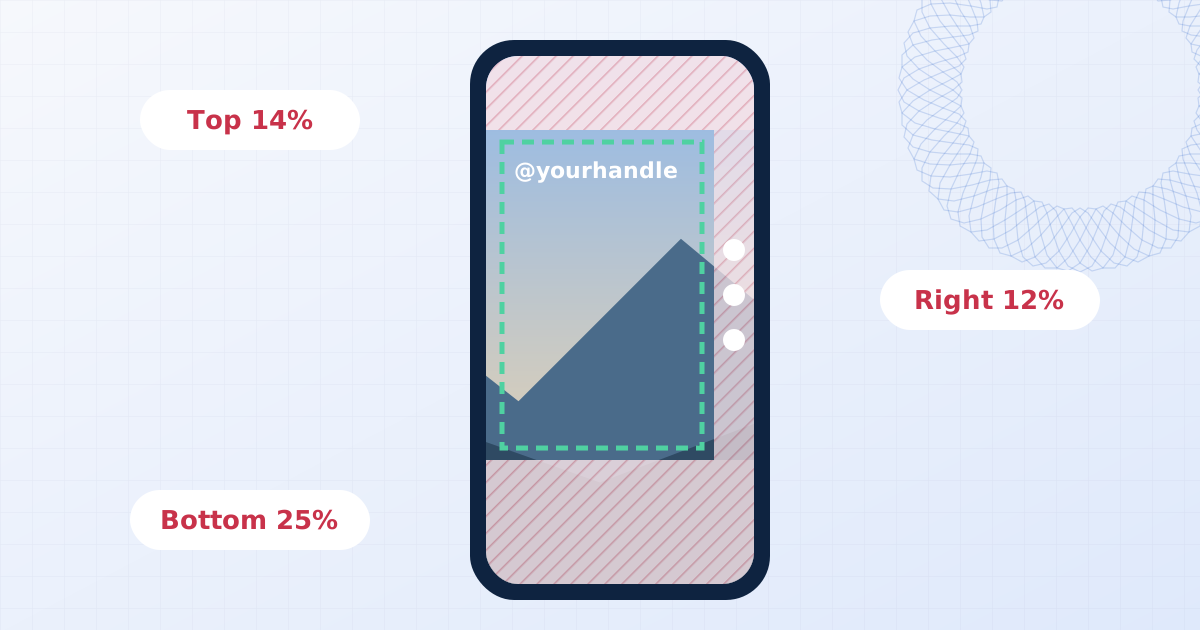
On vertical 9:16 video, keep the watermark out of the top 14 percent, the bottom 20 to 25 percent and the right-hand 12 to 15 percent, where the apps draw their own interface. On a 4:5 feed post, keep corner marks a few percent in from the left and right edges, because the profile grid shows a 3:4 crop.
On this page
Social apps draw their own interface on top of your content: usernames, captions, like buttons, progress bars. A watermark that sits under any of those is invisible to the people it's meant for, and a profile grid that crops your post can cut a corner mark in half.
These margins keep your mark visible. They're rounded and deliberately a little generous, because the apps change their overlays between versions and devices.
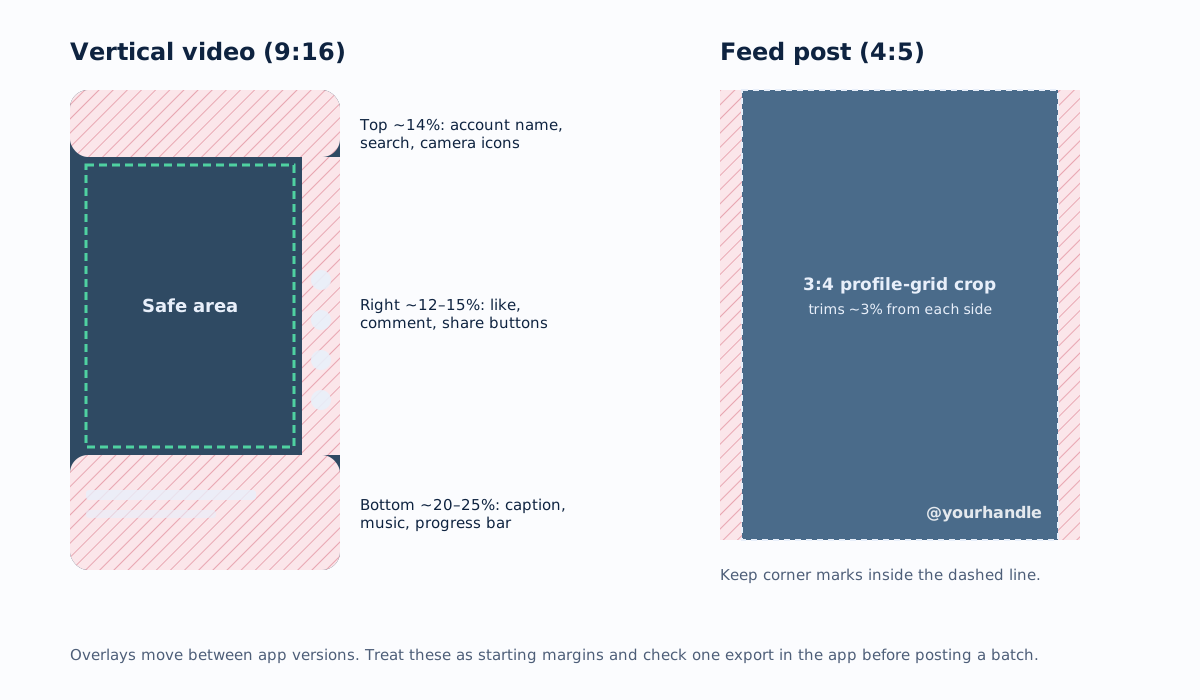
Vertical video: TikTok, Reels, Shorts and Stories
All four use a 9:16 frame, normally 1080 × 1920 pixels, and all four cover the same three areas:
| Edge | Keep clear | What's there | On 1080 × 1920 |
|---|---|---|---|
| Top | ~14% | Account name, search or camera icons, Stories progress bar | ~270 px |
| Bottom | ~20–25% | Caption, audio track, comment box, progress bar | ~380–480 px |
| Right | ~12–15% | Like, comment, share and remix buttons | ~130–160 px |
| Left | ~5% | Mostly clear, but text overlays start near it | ~55 px |
That leaves a safe rectangle in the middle of the frame. For a watermark, the upper-left corner of the safe area is the most dependable spot: it's below the top bar and far from the action buttons. Centre-top also works for a handle.
A few platform-specific notes:
- TikTok has the deepest bottom overlay, because captions can run to several lines. Keep the bottom quarter clear.
- Reels looks almost identical to TikTok. The same margins work for both, which matters if you cross-post.
- YouTube Shorts puts its buttons on the right and a long title and channel row at the bottom; the same margins apply.
- Stories (Instagram and Facebook) have a thinner bottom area when there's no caption, but replies and stickers cover it. Use the same safe area.
Feed posts: Instagram and Facebook
The tallest feed format on Instagram is 4:5, 1080 × 1350 pixels. Two things affect a watermark:
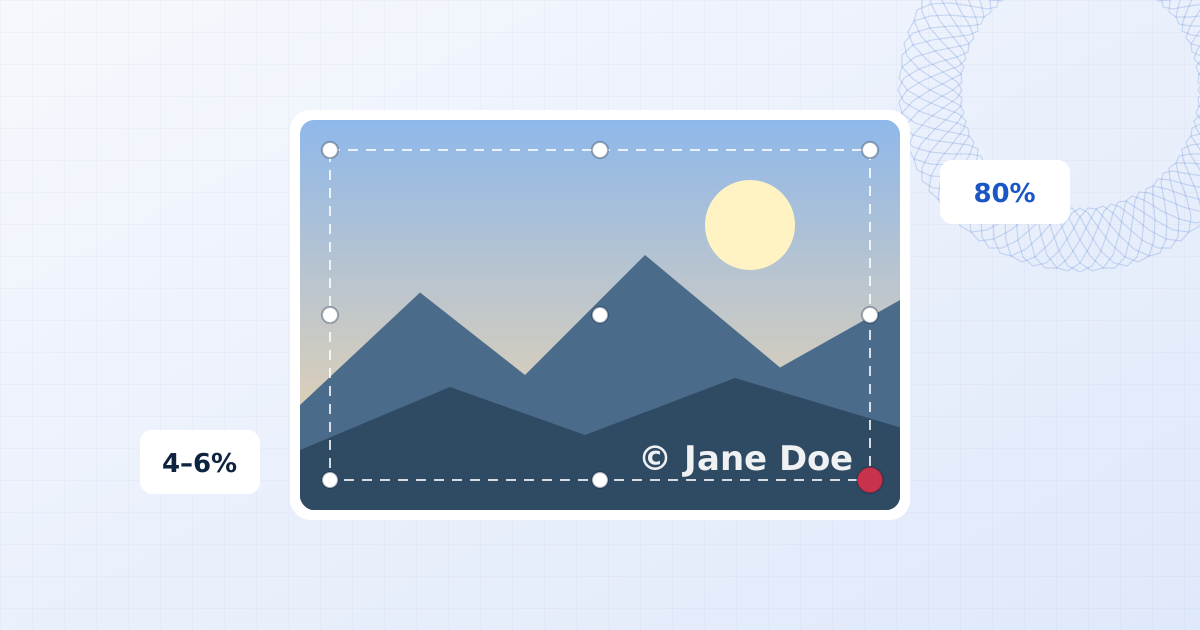
- The profile grid shows a 3:4 crop of each post. On a 4:5 image, that trims a little from the left and right, roughly 3 percent per side. A mark tucked tight into a bottom corner can be cut off in the grid, so move it a few percent in.
- The app interface doesn't overlap feed images, so the bottom edge is safe, unlike in Reels.
Square (1:1) and landscape (1.91:1) posts aren't cropped in the feed, but they are shown smaller. Size your text against the shorter side: about 3 to 4 percent of the height for a handle.
Facebook displays feed images at similar proportions, and a 4:5 image is a safe default for both.
YouTube (landscape)
For regular 16:9 videos, YouTube covers the bottom of the frame with the progress bar and controls when a viewer hovers or pauses, and places end screen elements over the last 5 to 20 seconds if you add them. Keep a watermark in a top corner, or the bottom-right with a margin of at least 5 percent.
YouTube Studio also has a built-in branding watermark (Customization → Branding → Video watermark) that shows a small image in the bottom-right corner of the player and links to your channel. It's separate from the video file. If you also burn a mark into the video, put yours in a different corner so they don't stack.
Sizes that read on a phone
Phones show 1080-pixel content in a frame about 7 cm wide. Text that looks fine on a laptop can be unreadable there:
| Use | Text height (share of shorter side) | On 1080 px wide |
|---|---|---|
| Handle or website | 3–4% | 32–43 px |
| Brand logo | 8–12% of the width | 85–130 px wide |
| Tiled protective mark | 2.5–4%, repeated | 27–43 px |
Opacity of 70 to 85 percent with a soft shadow keeps a handle legible over moving footage. The shadow does more for legibility than a heavier font weight.
Check before you post a batch
Export one file, upload it as a draft or a private post, and look at it on a phone with the interface showing. If the mark is clear in the feed, the grid and full-screen, export the rest with the same preset.
To set this up: open the video watermark tool for Reels, TikTok and Shorts, or the photo watermark tool for feed posts, place the mark inside the safe area, and save it as a preset so every post lands in the same spot.
Frequently asked questions
Where should I put my watermark on TikTok or Reels?
Inside the middle of the frame, away from the edges the app covers: the top 14 percent (account name and icons), the bottom 20 to 25 percent (caption, audio and progress bar) and the right 12 to 15 percent (like, comment and share buttons). The upper-left area below the top bar is the most reliable corner.
What size should a watermark be on Instagram?
Instagram displays posts at roughly phone width, so a handle about 3 to 4 percent of the image height is readable without dominating. Export at 1080 pixels wide; uploading larger gains nothing, because the app resizes it.
Does Instagram remove watermarks?
No, a watermark drawn into the pixels stays. Instagram does strip most metadata such as EXIF and IPTC from uploaded files, which is one reason a visible mark is useful for credit.
Do these safe zones ever change?
Yes. Apps redesign their overlays regularly and they differ between phones. Treat these margins as a starting point and check one export in the app before you post a whole batch.
Add a watermark to a video
Put a text or logo watermark on MP4, MOV, WebM or MKV video in your browser. Live preview, audio kept, export as MP4 or WebM. Your video never leaves your device.
Watermark a video