Remove a watermark
Brush over a mark on a photo and it is rebuilt from the pixels around it. For video, box in a static logo and it is blended away on every frame. Both run on your device.
Drop a photo here
Brush over a watermark, logo, date stamp or stray object and it's filled in from the surrounding image, on your device.
How to remove a watermark
- 1
Open a photo or video
Pick Photo or Video above the tool, then drop your file.
- 2
Mark what should go
On a photo, brush over the mark. On a video, drag a box around the logo.
- 3
Erase and download
Check the result, undo and retry if a patch needs another pass, then download at full resolution.
How the fill works
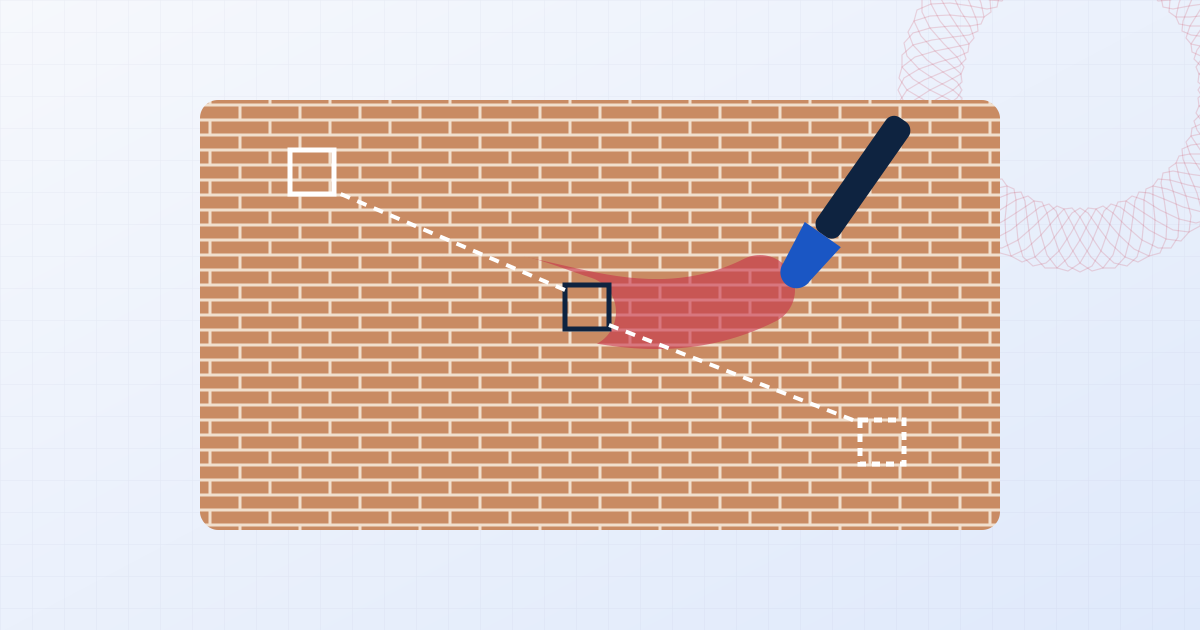
For photos the tool uses a content-aware fill: it searches the rest of the image for small patches that match the surroundings of your selection and stitches them together, working from a coarse version of the picture up to full detail. Sky, walls, water, sand, grass and fabric are rebuilt convincingly.
It is an image-processing algorithm, not a generative AI model, so it can't invent a face or lettering that was hidden. Over complex detail you'll get a plausible texture rather than a perfect reconstruction.
Use it on your own work
The eraser is meant for your own material: a date stamp from an old camera, a draft watermark on a file you've lost the original of, a logo on footage you produced, or a stray object in a product shot.
Removing someone else's watermark to use their work without permission infringes their copyright in most countries. If you need an unmarked version of another person's image, license it from them.
Questions people ask
Is my file uploaded?
No. The file is opened, edited and saved by your own browser. Nothing is sent to a server, which you can confirm in your browser's network tab while you work.
Does it use AI?
No generative model is involved. The photo eraser is a patch-based content-aware fill that runs on your CPU, which is why it works without sending your image to a server.
Why is there a soft patch where the logo was in my video?
Video logos are hidden by blending in the pixels around the box on each frame. On plain areas this is invisible; over busy, moving backgrounds it leaves a soft patch. Keep the box as tight as you can.
Can it remove a watermark that covers the whole image?
Not well. A tiled watermark hides too much of the picture for any fill to reconstruct. That is exactly why tiling is the strongest way to protect your own photos.
Can it remove watermarks from a PDF?
No. This tool works on photos and video only.
Learn more

Related tools
- Remove a watermark from a photoBrush over a watermark, logo or text on a photo and erase it with a content-aware fill. Full-resolution download, undo, and no upload. Works in your browser.
- Remove a logo from a videoHide a static logo, channel bug or timestamp in a video. Box it in, preview the result on the playing clip, and export MP4 or WebM. No upload, audio kept.
- Remove the date stamp from a photoErase the orange date and time stamp that old cameras print on photos. Brush over it and download the clean picture at full resolution. Private, no upload.
- Add a watermark to photosAdd a text or logo watermark to one photo or hundreds at once. Drag to position, set opacity and rotation, then export JPG, PNG or WebP. Nothing is uploaded.